Disclosure: This article currently links to official product websites. Smart SaaS Lab may use affiliate links in some content. If we earn a commission through an affiliate link, there is no additional cost to you. [Read our full Affiliate Disclosure.]
AI tools are becoming a practical part of everyday work — from research and writing to meetings, presentations, automation, and data analysis.
But with so many AI products available, choosing the right one can be difficult. You probably don’t need dozens of subscriptions. What matters is finding the tools that actually fit the way you work.
At Smart SaaS Lab, we explore global AI and SaaS products from Japan and look at how they can help professionals, freelancers, entrepreneurs, and small teams work more efficiently.
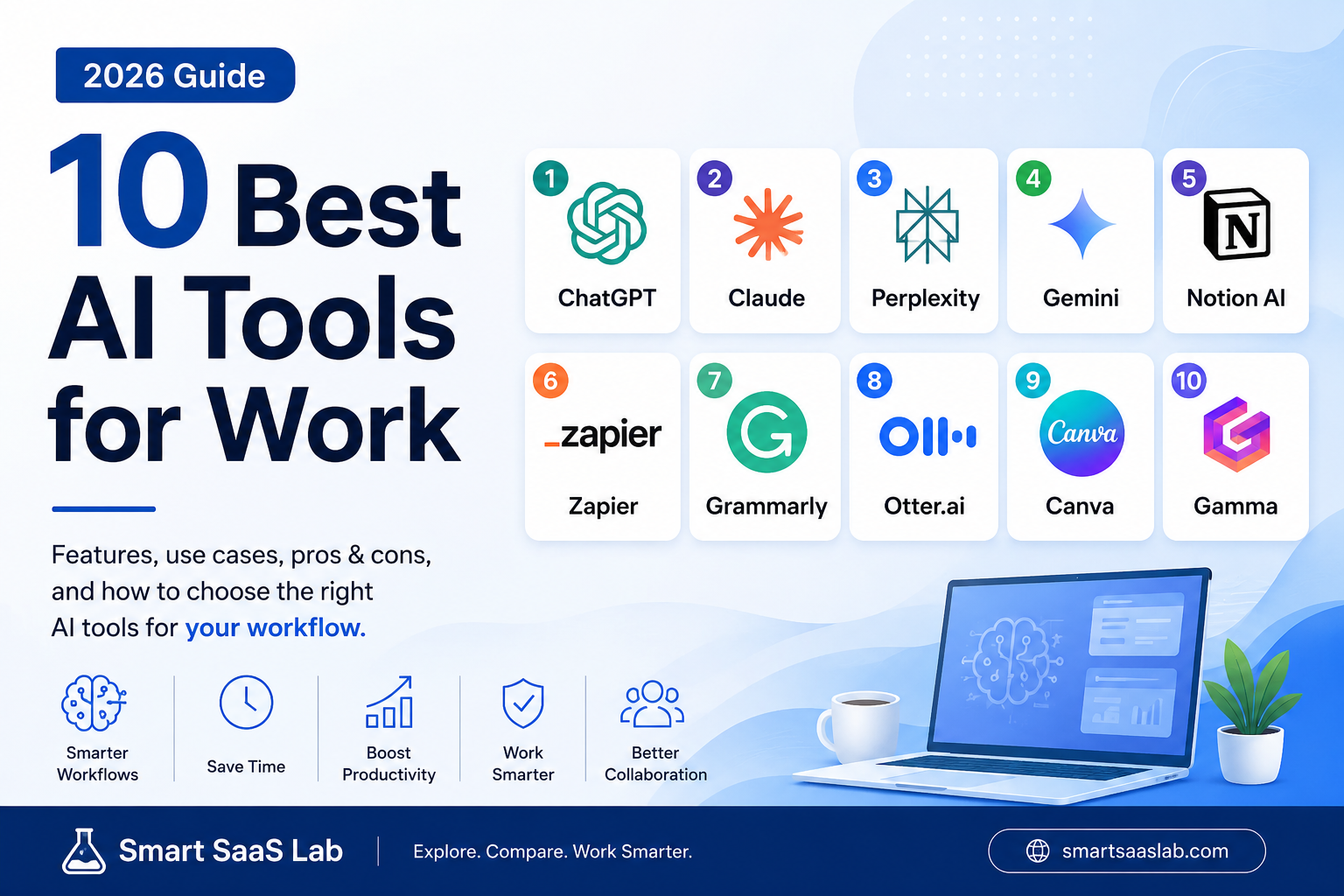
In this guide, we’ve selected 10 AI tools worth considering for work in 2026, covering different use cases such as research, writing, automation, meetings, design, and productivity.
Rather than asking which AI tool is simply “the best,” we’ll focus on a more useful question:
Which AI tool is best for the work you actually need to do?
| AI Tool | Best For | Smart SaaS Lab Pick |
| ChatGPT | All-around AI assistant | Best Overall |
| Claude | Writing & analysis | Best for Deep Work |
| Perplexity | Research with sources | Best for Research |
| Gemini | Google-based workflows | Best for Google Users |
| Notion AI | Knowledge & workspace | Best for Knowledge Work |
| Zapier | Workflow automation | Best for Automation |
| Grammarly | Business writing | Best for Writing Assistance |
| Otter.ai | Meetings & transcription | Best for Meetings |
| Canva | Design & visual content | Best for Design |
| Gamma | Presentations & visual documents | Best for Presentations |
- ChatGPT — Best for General-Purpose AI Work
- Claude — Best for Deep Work, Writing & Analysis
- Perplexity — Best for AI-Powered Research
- Gemini — Best for Google-Based Workflows
- Notion AI — Best for AI-Powered Knowledge Work
- Zapier — Best for AI-Powered Workflow Automation
- Grammarly — Best for Professional Writing Assistance
- Otter.ai — Best for Meetings and Transcription
- Canva — Best for AI-Assisted Visual Content
- Gamma — Best for AI-Powered Presentations
- How to Choose the Right AI Tool for Work
- Our Picks by Use Case
- Final Thoughts
ChatGPT — Best for General-Purpose AI Work
Official website: ChatGPT
ChatGPT is one of the most versatile AI assistants for everyday professional work. It can help with writing, brainstorming, research, summarizing documents, analyzing files and data, solving problems, and many other knowledge-work tasks.
Best for: Professionals who want one AI assistant that can handle a wide range of tasks.
Why It Stands Out
The biggest advantage of ChatGPT is its versatility. Instead of using a separate AI tool for every small task, you can use ChatGPT across many different workflows — from drafting an email or analyzing a spreadsheet to researching a topic or working with documents.
Depending on your plan and available features, ChatGPT can also search the web, work with uploaded files, analyze structured data, and create visual content.
Key Features
- Writing, rewriting, and summarization
- Web search
- File and document analysis
- Data analysis
- Brainstorming and problem solving
- Image understanding and generation
Pros
- Useful for a wide range of professional tasks
- Easy to start using
- Combines multiple AI capabilities in one product
- Free and paid options are available
Cons
- Some features and higher usage limits depend on your plan
- AI-generated answers can still contain mistakes, so important information should be verified
- It may be more than you need if you only want AI for one specialized task
Who Should Use ChatGPT?
ChatGPT is a strong starting point for freelancers, marketers, entrepreneurs, students, and professionals who want a flexible AI assistant rather than a tool designed for only one specific workflow.
Claude — Best for Deep Work, Writing & Analysis
Official website: Claude
Claude is an AI assistant developed by Anthropic. It is particularly useful for knowledge work that involves reading, writing, reasoning, research, and working through complex information.
Best for: Professionals who regularly work with long documents, detailed writing, research, and complex projects.
Why It Stands Out
Claude is designed to work well across demanding knowledge-work tasks. It can help you analyze information, develop ideas, draft and revise content, research topics, and work through complex problems.
Claude can also use web search and research capabilities to work with current information. For supported workflows, it can connect with tools such as Google Workspace to help work across documents and other business information.
Key Features
- Long-form writing and editing
- Document and information analysis
- Research and web search
- Complex reasoning and problem solving
- Google Workspace integrations
- Support for coding and professional workflows
Pros
- Strong fit for detailed knowledge work
- Useful for writing and working with large amounts of information
- Research capabilities can combine information from multiple sources
- Free and paid access options are available
Cons
- Usage limits and model access depend on your plan
- Some advanced features may be unnecessary for simple AI tasks
- Important AI-generated information should still be independently verified
Who Should Use Claude?
Claude is worth considering for writers, researchers, analysts, marketers, developers, and professionals who spend a significant amount of time working with documents, ideas, research, or complex information.
Perplexity — Best for AI-Powered Research
Official website: Perplexity
Perplexity is an AI-powered search engine designed to help you find, understand, and verify information from the web. Instead of simply giving you a list of search results, it searches online sources and synthesizes them into a conversational answer with citations.
Best for: Professionals who regularly research topics, compare information, follow current developments, or need to trace answers back to their original sources.
Why It Stands Out
Perplexity puts web research at the center of the experience. Its answers include citations and links to original sources, making it easier to check where information came from and explore the evidence yourself.
For more complex questions, its advanced search and Research features can search across multiple sources, analyze the information, and produce more detailed reports.
Key Features
- AI-powered web search
- Citations and links to original sources
- Follow-up questions within the same research thread
- Pro Search for more detailed queries
- Research for in-depth reports
- Support for uploaded files and selected external data sources
Pros
- Makes it easy to trace information back to sources
- Useful for researching current topics
- Can save time compared with manually opening many search results
- Free access is available, with additional capabilities on paid plans
Cons
- A citation does not automatically mean that every claim is correct
- You should still open and evaluate important original sources
- It overlaps with some research features available in general-purpose AI assistants
Who Should Use Perplexity?
Perplexity is particularly useful for marketers, researchers, writers, analysts, entrepreneurs, and other professionals who frequently need to gather and verify information from the web.
Gemini — Best for Google-Based Workflows
Official website: Gemini
Gemini is Google’s AI assistant and is particularly useful for people who already work across Google’s ecosystem.
Best for: Professionals and teams that regularly use Gmail, Google Drive, Docs, Calendar, and other Google services.
Why It Stands Out
One of Gemini’s biggest advantages is its connection with Google services. With supported Connected Apps, Gemini can help you find and summarize information from Gmail, Docs, and Drive, manage Calendar events, work with tasks, and access notes in Google Keep.
This can make Gemini especially useful if much of your work already happens inside Google’s ecosystem.
Key Features
- General-purpose AI assistance
- Integration with Google Workspace services
- Find and summarize information from Gmail, Docs, and Drive
- Create and manage Google Calendar events
- Work with Google Tasks and Keep
- Connected Apps for additional workflows
Pros
- Strong fit for people already using Google services
- Can work with information across supported Workspace apps
- Useful for combining AI with everyday productivity workflows
- Reduces the need to manually move information between some Google services
Cons
- Availability of some integrations and features depends on your account, plan, device, or administrator settings
- Not every action inside Google Workspace can be performed directly from Gemini
- AI-generated information can still be incorrect or outdated and should be verified when accuracy matters
Who Should Use Gemini?
Gemini is particularly worth considering for professionals, freelancers, and teams whose daily workflow already revolves around Gmail, Google Drive, Docs, Calendar, and other Google services.
Notion AI — Best for AI-Powered Knowledge Work
Official website: Notion AI
Notion AI brings artificial intelligence directly into the Notion workspace, making it especially useful for people and teams that already manage documents, projects, tasks, and knowledge in Notion.
Best for: Professionals and teams that want AI integrated directly into their workspace and internal knowledge.
Why It Stands Out
The main advantage of Notion AI is context. Instead of working with an AI assistant separately from your notes, documents, projects, and databases, you can use AI inside the workspace where that information already lives.
Notion AI can help search workspace information, generate and edit content, work with databases, research topics, and find information across supported connected apps.
Key Features
- AI assistance directly inside Notion
- Search across workspace content
- Enterprise Search across supported connected apps
- Research Mode for more complex research and reports
- AI Meeting Notes for transcription and summaries
- Writing, editing, and summarization
- Database creation and AI-assisted workflows
Pros
- AI works alongside your existing workspace and knowledge
- Useful for teams managing information across many documents and projects
- Can search supported connected tools such as Google Drive and Slack
- Combines knowledge management and AI in one workspace
Cons
- Most useful if you already use Notion regularly
- Many advanced AI capabilities require Business or Enterprise plans
- The number of features can be overwhelming if you only need a simple AI assistant
- AI-generated answers should still be checked for accuracy
Who Should Use Notion AI?
Notion AI is particularly useful for teams, founders, project managers, knowledge workers, and professionals who already use Notion as a central place for documents, projects, tasks, and company knowledge.
Zapier — Best for AI-Powered Workflow Automation
Official website: Zapier
Zapier is an automation platform that connects the apps, data, and AI tools you use for work. Instead of manually moving information between different services, you can build automated workflows that perform repetitive tasks for you.
Best for: Professionals and businesses that want to connect their apps and automate repetitive workflows with or without AI.
Why It Stands Out
Zapier goes beyond simply using AI to generate text or answer questions. Its main strength is helping AI and business applications actually work together.
For example, a workflow could take information from one app, use AI to summarize or classify it, and then automatically send the result to another tool.
Zapier supports thousands of apps and can also connect AI models and assistants with business tools, making it useful for building more advanced automated workflows.
Key Features
- Automated workflows between apps
- 9,000+ supported app integrations
- AI-powered steps inside workflows
- Support for AI models from providers such as OpenAI, Anthropic, and Google
- AI-assisted workflow building
- MCP connectivity for AI assistants and business apps
Pros
- Connects a very large ecosystem of business apps
- Can automate repetitive work without requiring traditional programming
- Useful for combining AI with real business processes
- Can start with simple automations and expand into more advanced workflows
Cons
- Complex automations can take time to design and troubleshoot
- Usage limits and advanced capabilities depend on your plan
- Automation mistakes can affect connected apps, so important workflows should be tested carefully
Who Should Use Zapier?
Zapier is especially useful for entrepreneurs, marketers, sales teams, operations teams, freelancers, and small businesses that repeatedly move information between different apps or want AI to become part of their automated workflows.
Grammarly — Best for Professional Writing Assistance
Official website: Grammarly
Grammarly is an AI-powered writing assistant designed to help improve the clarity, correctness, tone, and effectiveness of your writing.
Best for: Professionals who regularly write emails, reports, documents, proposals, or other business content in English.
Why It Stands Out
Grammarly works directly within many of the places where people already write, helping you improve text without constantly switching to a separate AI chat.
Beyond basic grammar and spelling corrections, Grammarly can provide suggestions related to clarity, tone, rewriting, and communication. Its AI features can also help generate or transform text depending on the task.
Key Features
- Grammar and spelling assistance
- Clarity and tone suggestions
- Sentence rewriting
- AI-assisted writing
- Writing support across supported apps and websites
- Plagiarism and additional writing tools on eligible plans
Pros
- Useful during everyday writing rather than only in a separate AI interface
- Helps improve professional English communication
- Easy to use for emails, documents, and other business writing
- Free and paid options are available
Cons
- Some advanced features require a paid plan
- Suggestions do not always match the writer’s intended style or meaning
- It overlaps with writing capabilities available in general-purpose AI assistants
Who Should Use Grammarly?
Grammarly is particularly useful for professionals, marketers, freelancers, students, and anyone who regularly communicates in written English and wants an additional layer of writing assistance.
Otter.ai — Best for Meetings and Transcription
Official website: Otter.ai
Otter.ai is an AI-powered meeting and transcription tool designed to capture conversations and turn them into searchable notes, summaries, and useful information.
Best for: Professionals and teams that spend a significant amount of time in online meetings, interviews, or conversations that need to be documented.
Why It Stands Out
Otter.ai focuses specifically on turning spoken conversations into useful work information. Instead of manually taking detailed notes during a meeting, users can use Otter to capture the conversation and review the transcript and summary afterward.
This can be especially useful for teams that want to spend more time participating in meetings and less time writing notes.
Key Features
- AI-powered meeting transcription
- Automated meeting notes and summaries
- Searchable conversation transcripts
- Speaker identification
- Meeting integrations
- AI assistance for finding information from past conversations
Pros
- Reduces manual meeting note-taking
- Makes past conversations easier to search and review
- Useful for meetings, interviews, and team discussions
- Can help turn conversations into documented knowledge
Cons
- Transcription accuracy can vary depending on audio quality, speakers, accents, and background noise
- Some features and usage limits depend on the plan
- Sensitive or confidential meetings require careful consideration of privacy and organizational policies
Who Should Use Otter.ai?
Otter.ai is worth considering for sales teams, marketers, researchers, recruiters, managers, journalists, and other professionals who regularly need to capture and review conversations.
Canva — Best for AI-Assisted Visual Content
Official website: Canva
Canva is a visual communication and design platform that combines traditional design tools with AI-powered features for creating presentations, social media graphics, documents, marketing materials, images, and other visual content.
Best for: Professionals and small teams that need to create polished visual content without relying on professional design software for every task.
Why It Stands Out
Canva combines templates, editing tools, collaboration features, and AI-assisted creation in one platform. This makes it useful for turning ideas into visual content quickly, even if design is not your primary skill.
Its AI capabilities can assist with generating and editing content, while Canva’s broader design environment makes it possible to continue refining the result manually.
Key Features
- Templates for presentations, social media, documents, and marketing content
- AI-assisted design and content creation
- Image generation and editing tools
- Presentation creation
- Brand and collaboration tools
- Large library of visual assets and design elements
Pros
- Accessible to people without professional design experience
- Covers many different types of business content
- Combines AI generation with manual editing
- Useful for individuals and teams
Cons
- Some AI features, premium assets, and advanced tools require paid access
- AI-generated designs may still require manual refinement
- Professional designers may prefer more specialized tools for advanced work
Who Should Use Canva?
Canva is particularly useful for marketers, entrepreneurs, freelancers, content creators, educators, and small businesses that regularly need presentations, social media graphics, marketing materials, or other visual content.
Gamma — Best for AI-Powered Presentations
Official website: Gamma
Gamma is an AI-powered content creation platform that can turn ideas, outlines, and existing content into polished presentations and other visual formats.
Best for: Professionals who want to create presentations and visual documents quickly without spending hours manually designing slides.
Why It Stands Out
Gamma can generate both the structure and visual presentation of your content. You can start with a prompt, paste an existing outline, or import content and use AI to turn it into a designed presentation.
Unlike a traditional slide workflow where you may spend significant time adjusting layouts manually, Gamma focuses on helping you move quickly from an idea to a presentable first draft that you can continue editing.
Key Features
- AI-generated presentations
- Generate from a prompt or outline
- Import existing content
- AI-assisted editing and layouts
- Documents and web content
- Export to PowerPoint, PDF, and Google Slides
Pros
- Can significantly speed up the first draft of a presentation
- Useful even without advanced design skills
- Combines content generation and visual layout
- Free and paid options are available
Cons
- AI-generated content and layouts may still require manual editing
- Some advanced features require a paid plan
- Specialized presentations may need more customization than the initial AI-generated version provides
Who Should Use Gamma?
Gamma is particularly useful for founders, consultants, marketers, educators, sales professionals, and small teams that regularly need to turn ideas or existing content into presentations and visual documents.
How to Choose the Right AI Tool for Work
The best AI tool is not necessarily the one with the longest feature list. It is the one that solves the problems you encounter most often in your daily work.
Before paying for another AI subscription, consider these questions:
- What task do you want to improve? Writing, research, meetings, design, automation, or general productivity?
- Does the tool fit your existing workflow? A powerful tool has limited value if it does not work well with the apps you already use.
- How often will you use it? Start with a free plan or trial when available before committing to another subscription.
- What data will you share with it? If you work with confidential business or customer information, review the provider’s privacy, security, and data-handling policies before using the tool.
- Can you verify the output? AI-generated information can be incorrect, incomplete, or outdated, especially when accuracy matters.
For business use, privacy and risk management deserve particular attention. AI tools can handle documents, emails, meetings, and other potentially sensitive information, so organizations should evaluate how each service handles their data before adoption.
Our Picks by Use Case
If you are still unsure where to start, here is the simplest way to think about the tools in this guide:
For a versatile AI assistant: ChatGPT
For writing and deep analysis: Claude
For web research with sources: Perplexity
For Google-based workflows: Gemini
For knowledge and workspace management: Notion AI
For workflow automation: Zapier
For professional English writing: Grammarly
For meetings and transcription: Otter.ai
For visual content and design: Canva
For AI-generated presentations: Gamma
You do not need all ten tools. For many people, the better approach is to choose one general-purpose AI assistant and then add one or two specialized tools where they provide a clear benefit.
Final Thoughts
AI tools are becoming less about simply chatting with a model and more about improving specific parts of how we work.
The right combination will depend on your job, existing software, budget, and workflow. A freelancer creating content may need a very different AI stack from a sales team managing meetings and automation.
Start with the problem you want to solve, test the tools that fit that problem, and keep the ones that genuinely save you time or improve the quality of your work.
Smart SaaS Lab will continue exploring AI and SaaS tools from Japan, with a focus on practical ways they can help people work smarter.
Which AI tool should we review next? Feel free to contact Smart SaaS Lab with your suggestions.
コメント