Disclosure: This article currently links to official product websites. Smart SaaS Lab may use affiliate links in some content. If we earn a commission through an affiliate link, there is no additional cost to you.
Small businesses rarely have unlimited time, staff, or budgets. That makes AI particularly useful when it can reduce repetitive work, speed up content creation, improve research, automate workflows, or help a small team accomplish more with fewer tools.
But the goal is not to subscribe to every AI product available.
The better approach is to identify where your business spends the most time and choose AI tools that solve those specific problems.
At Smart SaaS Lab, we explore global AI and SaaS products from Japan with a focus on practical ways to work smarter. In this guide, we’ve selected AI tools worth considering for small businesses in 2026 across productivity, marketing, automation, meetings, design, research, and knowledge management.
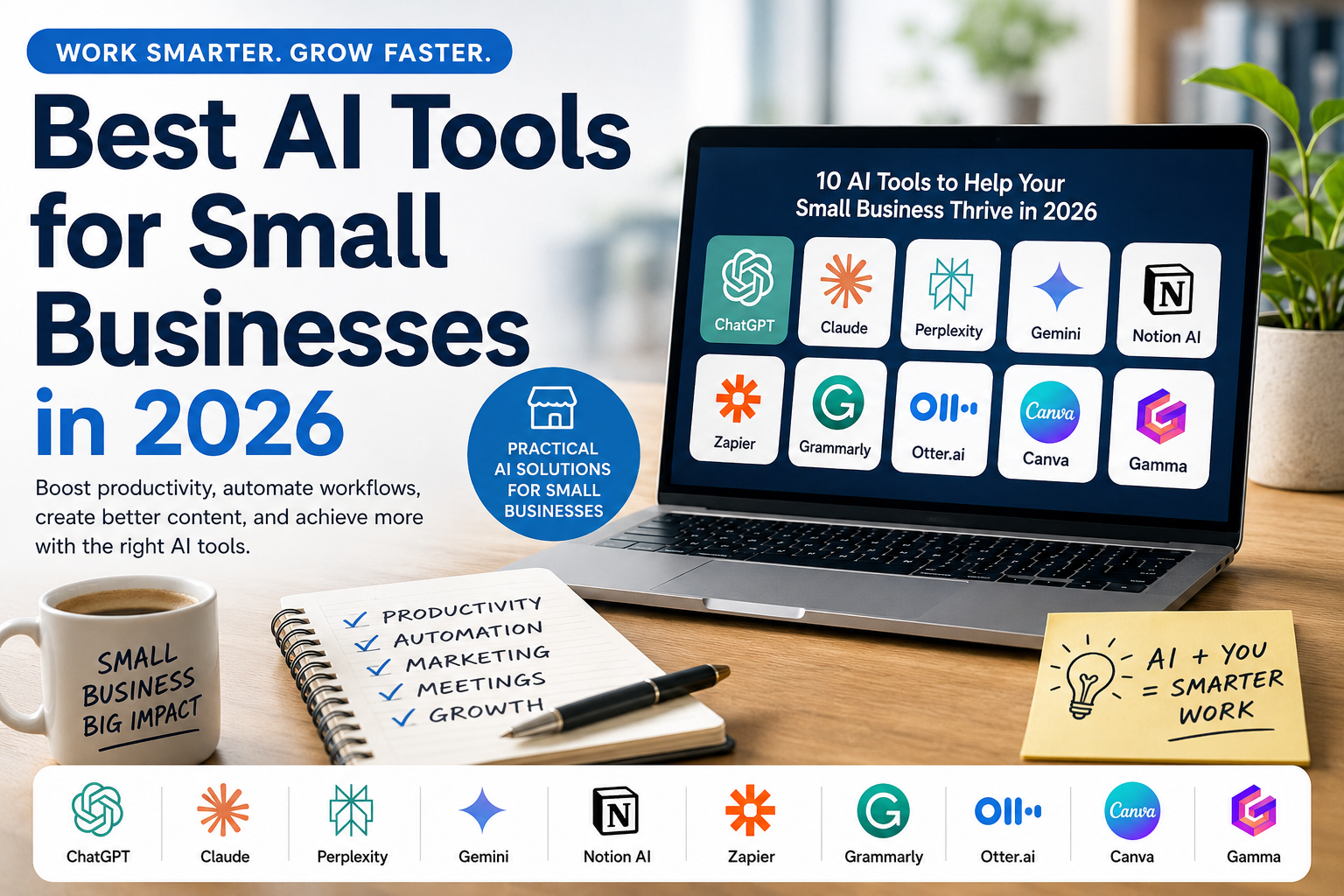
- Quick Picks: Best AI Tools for Small Businesses
- Quick Comparison
- What Should a Small Business Look for in an AI Tool?
- ChatGPT — Best General-Purpose AI for Small Businesses
- Claude — Best for Writing and Knowledge-Heavy Work
- Perplexity — Best for Business Research
- Gemini — Best for Google-Based Small Businesses
- Notion AI — Best for Knowledge and Workspace Management
- Zapier — Best for Business Automation
- Grammarly — Best for Business Writing
- Otter.ai — Best for Meetings and Transcription
- Canva — Best for Marketing and Visual Content
- Gamma — Best for Presentations
- Which AI Tools Should a Small Business Actually Choose?
- How to Introduce AI Into a Small Business
- AI Tools Are Not a Replacement for Human Review
- Final Verdict
Quick Picks: Best AI Tools for Small Businesses
Best general-purpose AI: ChatGPT
Best for writing and deep analysis: Claude
Best for research: Perplexity
Best for Google-based businesses: Gemini
Best for workspace and knowledge management: Notion AI
Best for workflow automation: Zapier
Best for business writing: Grammarly
Best for meetings: Otter.ai
Best for design and marketing content: Canva
Best for presentations: Gamma
You do not need all ten. A small business may get more value from combining one general-purpose AI assistant with one or two specialized tools that solve its biggest bottlenecks.
Quick Comparison
| Tool | Best for | Why a Small Business Might Use iIt |
| ChatGPT | General productivity | Writing, research, analysis, files, and everyday AI tasks |
| Claude | Writing & analysis | Documents, detailed writing, research, and complex knowledge work |
| Perplexity | Research | Finding current information with links to sources |
| Gemini | Google workflows | Working alongside Google services and Workspace |
| Notion AI | Knowledge management | Bringing AI into documents, projects, and team knowledge |
| Zapier | Automation | Connecting apps and automating repetitive workflows |
| Grammarly | Business writing | Improving emails and professional English communication |
| Otter.ai | Meetings | Transcription, meeting notes, and searchable conversations |
| Canva | Marketing & design | Creating visual and marketing content |
| Gammma | Presentations | Turning ideas and content into presentations quickly |
What Should a Small Business Look for in an AI Tool?
Before choosing a tool, consider five things:
1. Does it solve a recurring problem?
AI is most valuable when it reduces work your business performs repeatedly.
2. Does it fit your existing software?
Integrations can matter more than having the longest feature list.
3. Will your team actually use it?
A simpler tool that becomes part of the daily workflow may provide more value than a powerful tool nobody uses.
4. What does it cost as your team grows?
Compare not only the starting price but also user limits, usage limits, and higher-tier requirements.
5. What business data will you give it?
Review privacy, security, permissions, and data-handling policies before uploading confidential customer or company information.
ChatGPT — Best General-Purpose AI for Small Businesses
ChatGPT is a strong starting point for small businesses that want one AI assistant capable of helping across many different types of work.
Best for: Small businesses looking for a versatile AI assistant for everyday productivity.
How Small Businesses Can Use ChatGPT
A small team can use ChatGPT for tasks such as drafting emails, brainstorming marketing ideas, summarizing documents, researching topics, analyzing files and data, creating first drafts of content, and solving everyday business problems.
The main advantage is versatility. Instead of immediately subscribing to several specialized AI products, a small business can start with one general-purpose assistant and identify which workflows actually benefit from AI.
Good Fit If You:
- Need AI across several different business tasks
- Work with documents or spreadsheets
- Create marketing or written content
- Want one place for brainstorming, research, and analysis
Smart SaaS Lab take: ChatGPT is a practical first AI tool to test if your business has not yet established an AI workflow. Start with a few recurring tasks and measure whether it actually saves time before expanding your AI stack.
Claude — Best for Writing and Knowledge-Heavy Work
Claude is particularly worth considering for small businesses whose work involves significant amounts of writing, documents, research, coding, or complex information.
Best for: Consultants, agencies, content businesses, developers, researchers, and other knowledge-heavy small businesses.
How Small Businesses Can Use Claude
Claude can help draft and revise documents, analyze information, summarize material, develop ideas, research topics, work through complex questions, and assist with coding.
For a small business, this can be useful when employees spend substantial time turning information into reports, proposals, articles, plans, documentation, or other written work.
Good Fit If You:
- Produce long-form written content
- Regularly analyze documents and information
- Need help developing or refining detailed ideas
- Use AI for coding or technical knowledge work
Smart SaaS Lab take: Claude is especially interesting when the quality of reading, writing, reasoning, and working through complex information matters more than having the broadest possible collection of AI tools.
Perplexity — Best for Business Research
Perplexity is an AI-powered search and research tool that focuses on finding information from the web and presenting answers with citations to original sources.
Best for: Small businesses that frequently research markets, competitors, products, trends, customers, or unfamiliar topics.
How Small Businesses Can Use Perplexity
A small business could use Perplexity to research an industry, investigate competitors, compare software, explore a new market, gather background information for content, or quickly understand an unfamiliar business topic.
Because answers include citations, it is easier to open the underlying sources and verify important information.
Good Fit If You:
- Conduct frequent web research
- Need current information
- Compare products, companies, or markets
- Want to see the sources behind AI-generated answers
Smart SaaS Lab take: Perplexity can reduce the time spent on the first stage of research, but it should not replace primary-source verification. For pricing, statistics, contracts, regulations, or important business decisions, always check the original source.
Gemini — Best for Google-Based Small Businesses
Gemini is a natural option for small businesses that already rely heavily on Google services for everyday work.
Best for: Businesses that use Gmail, Google Drive, Docs, Calendar, Tasks, and other Google services.
How Small Businesses Can Use Gemini
With supported Google Workspace connections, Gemini can help find and summarize information from Gmail, Docs, and Drive, work with Calendar events, manage tasks, and access notes in Google Keep.
This can be useful for a small team because AI becomes connected to tools that employees may already use every day instead of requiring an entirely separate workflow.
Good Fit If You:
- Run much of your business through Google Workspace
- Frequently search through emails and documents
- Use Google Calendar and Tasks to organize work
- Want AI connected to your existing Google workflow
Smart SaaS Lab take: If your company already operates primarily inside Google’s ecosystem, Gemini deserves serious consideration because integration can matter more than choosing an AI assistant based on standalone features alone.
Notion AI — Best for Knowledge and Workspace Management
Notion AI brings AI capabilities into a workspace where a small business can already manage documents, projects, databases, notes, and internal knowledge.
Best for: Small teams that want to organize company knowledge and use AI within the same workspace.
How Small Businesses Can Use Notion AI
A business can use Notion AI to find information across its workspace, draft and summarize content, research topics, and work with information from supported connected apps.
For businesses with information scattered across documents and tools, features such as Enterprise Search can search Notion and supported connected services, while Research Mode can analyze information from the workspace, connected apps, and the web.
Notion also offers AI Meeting Notes, which can transcribe meetings and identify key points and action items.
Good Fit If You:
- Already use Notion for projects or documentation
- Want company knowledge in one searchable workspace
- Need AI assistance around internal documents and information
- Want to reduce time spent searching across multiple tools
Smart SaaS Lab take: Notion AI becomes more compelling when Notion is already the central workspace for your business. If your company does not use Notion, adopting the entire platform solely for AI may be more change than you need.
Zapier — Best for Business Automation
Zapier is different from a typical AI chatbot. Its main value is connecting business applications and automating work between them.
Best for: Small businesses that repeatedly move information between apps or perform the same administrative tasks.
How Small Businesses Can Use Zapier
A business could create workflows that automatically move leads between tools, organize form submissions, send notifications, update records, or add AI-powered steps such as summarizing and classifying information.
The important idea is that AI does not have to remain inside a chat window. Automation can connect AI with the software a business already uses and turn it into part of an operational workflow.
Good Fit If You:
- Perform repetitive administrative work
- Use several different SaaS applications
- Manually copy information between tools
- Want AI to trigger or participate in automated workflows
Smart SaaS Lab take: For a small business, automation can produce more measurable value than simply adding another AI chatbot. Start with one repetitive process, automate it carefully, test the result, and expand from there.
Grammarly — Best for Business Writing
Grammarly is an AI-powered writing assistant that can help small businesses improve everyday written communication.
Best for: Businesses that regularly write emails, proposals, marketing copy, reports, and other professional content.
How Small Businesses Can Use Grammarly
Grammarly can help employees improve grammar, clarity, tone, and structure while writing. Its AI capabilities can also assist with drafting, rewriting, brainstorming, and responding to written communication.
For teams, features such as brand tones and style guidance can also help keep communication more consistent.
Good Fit If You:
- Write a large volume of business emails
- Create customer-facing English content
- Want more consistent writing across a team
- Need writing assistance inside your existing workflow
Smart SaaS Lab take: Grammarly is particularly interesting for businesses that communicate internationally or regularly produce professional English content. For Japanese businesses working with overseas customers, this can be a practical use case.
Otter.ai — Best for Meetings and Transcription
Otter.ai focuses on turning meetings and conversations into searchable business information.
Best for: Small businesses that spend significant time in meetings, interviews, sales calls, or other conversations that need to be documented.
How Small Businesses Can Use Otter.ai
Otter can transcribe meetings, identify speakers, generate summaries, capture decisions and action items, and make previous conversations searchable.
This can reduce manual note-taking and help teams revisit important information after a meeting.
Good Fit If You:
- Have frequent online meetings
- Conduct interviews or sales calls
- Need searchable records of conversations
- Spend too much time manually creating meeting notes
Smart SaaS Lab take: Meeting AI can save meaningful time, but businesses should establish clear rules around consent, confidential conversations, privacy, and data handling before recording meetings.
Canva — Best for Marketing and Visual Content
Canva combines design tools, templates, collaboration, and AI capabilities in a platform that can be useful for small businesses without a dedicated design team.
Best for: Small businesses creating social media content, presentations, advertisements, marketing materials, and other visual assets.
How Small Businesses Can Use Canva
A small business can use Canva to create branded social posts, presentations, promotional materials, documents, and other visual content without starting every design from scratch.
Canva’s AI capabilities can also help generate and edit creative content, develop initial designs, and accelerate parts of the creative workflow.
Good Fit If You:
- Do not have a full-time designer
- Regularly create social media or marketing content
- Need reusable brand assets and templates
- Want AI assistance alongside manual design tools
Smart SaaS Lab take: Canva can be especially valuable when the alternative is repeatedly outsourcing relatively simple design work. AI can speed up the first draft, but important customer-facing material should still receive human review.
Gamma — Best for Presentations
Gamma is an AI-powered content creation platform that can help turn ideas and existing material into presentations and visual documents.
Best for: Small businesses that frequently create proposals, presentations, sales materials, or internal visual documents.
How Small Businesses Can Use Gamma
Instead of manually designing every slide from the beginning, a business can start with a prompt, outline, or existing content and use AI to generate an initial presentation.
The result can then be reviewed and edited before it is shared with customers, investors, employees, or other audiences.
Good Fit If You:
- Frequently create presentations
- Build sales decks or proposals
- Need to turn ideas into visual documents quickly
- Do not want to spend significant time manually designing slides
Smart SaaS Lab take: Gamma is most useful as a way to accelerate the first draft. For important sales, investor, or customer presentations, review the facts, messaging, branding, and visual hierarchy before presenting the AI-generated result.
Which AI Tools Should a Small Business Actually Choose?
The biggest mistake a small business can make is subscribing to too many AI tools before identifying where they create real value.
A better approach is to build a small AI stack around the work your business performs most often.
A Simple AI Starter Stack
ChatGPT or Claude — for general AI assistance, writing, research, and knowledge work
Canva — for marketing and visual content
Zapier — for automating repetitive workflows
This combination covers a large range of everyday small-business tasks without requiring a separate AI product for every problem.
For a Google-Based Business
Gemini — for AI assistance connected to Google workflows
Canva — for marketing and visual content
Zapier — for automation
This may be particularly attractive if Gmail, Google Drive, Docs, and Calendar already form the center of your business workflow.
For a Knowledge-Heavy Business
Claude — for writing, analysis, coding, and complex knowledge work
Notion AI — for company knowledge, documents, and projects
Perplexity — for web research
This stack may fit consultants, agencies, researchers, content businesses, developers, and other teams that work heavily with information.
For a Marketing-Focused Business
ChatGPT or Claude — for ideas and written content
Canva — for visual content
Grammarly — for polished business communication
Gamma — for presentations and proposals
Again, you probably do not need every tool from day one. Start with the bottleneck that costs your business the most time.
How to Introduce AI Into a Small Business
Instead of trying to transform the entire company at once, start with one repeatable workflow.
Step 1: Identify a repetitive task.
Look for work that happens every week — research, meeting notes, email drafting, reporting, content creation, or moving information between applications.
Step 2: Choose one tool.
Test whether an AI product can improve that specific workflow.
Step 3: Measure the result.
Ask whether it saves time, reduces repetitive work, improves quality, or creates another measurable benefit.
Step 4: Review the risks.
Consider what data the tool receives, who has access, how outputs are checked, and whether employees understand when human review is required.
Step 5: Expand only when it works.
Once one workflow provides clear value, move to the next.
AI Tools Are Not a Replacement for Human Review
AI can accelerate work, but small businesses should not assume that generated content, research, calculations, meeting summaries, or recommendations are automatically correct.
Important customer communications, financial information, contracts, sensitive business decisions, and other high-impact work should receive appropriate human review.
Businesses should also establish clear rules about what confidential, personal, customer, or proprietary information employees are allowed to enter into AI services.
Final Verdict
There is no single “best” AI tool for every small business.
For general-purpose work: Start with ChatGPT or Claude.
For research: Consider Perplexity.
For Google-centered workflows: Consider Gemini.
For company knowledge: Consider Notion AI.
For automation: Consider Zapier.
For business writing: Consider Grammarly.
For meetings: Consider Otter.ai.
For visual marketing: Consider Canva.
For presentations: Consider Gamma.
For many small businesses, the best starting point is one general-purpose AI assistant plus one specialized tool that addresses a major bottleneck.
The goal is not to build the largest AI stack. It is to build the smallest stack that produces meaningful results.
Smart SaaS Lab will continue exploring global AI and SaaS tools from Japan, with a focus on practical ways they can help businesses work smarter.
AI products, pricing, features, limits, and policies change frequently. Always check the provider’s official website before purchasing or deploying a tool in your business.
コメント
iykioquspofwfqswzrymugkliqsvgu
hsjhjizoxdjdmjkzrfffhvwvvdvykt